customer/order.liquid
The customers/order.liquid template displays the details of a visitor's past order.
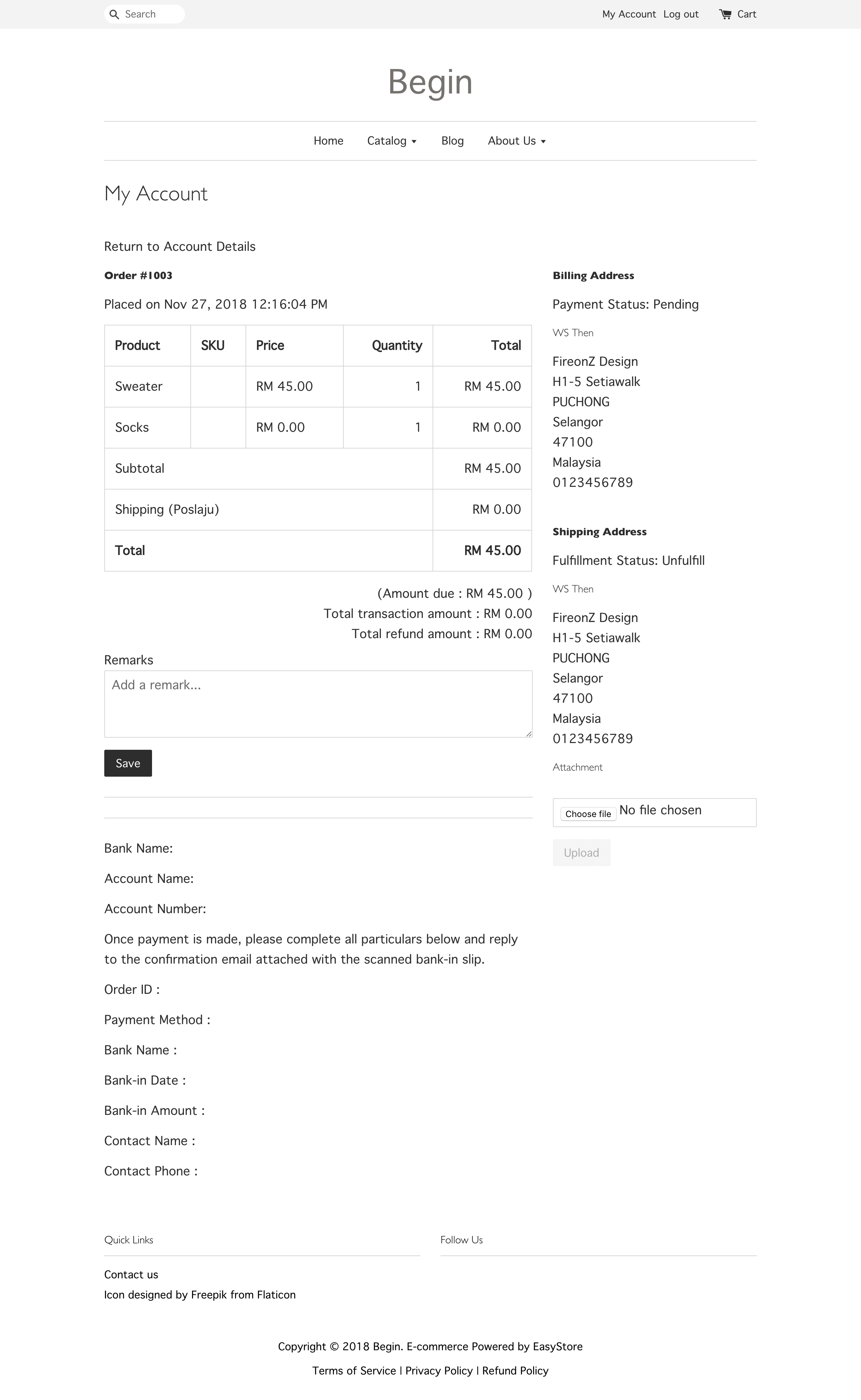
The page has access to a single order object that holds all of the order's details. More info ›
order.name
Returns the name of the order, for example #1001. Use it for the page heading, together with order.created_at for the order date.
<h2>{{ 'customer.order.title' | t: order.name }}</h2>
<small>{{ order.created_at | date: "%b %d, %Y" }}</small>
order.line_items
Returns an array of the items in the order. Loop through it to render each item's image, title, quantity and price. Every item is a line_item object. More info ›
{% for line_item in order.line_items %}
  <a href="{{ line_item.product.url }}">
    <img src="{{ line_item.image_url }}" alt="{{ line_item.product_name | escape }}">
    {{ line_item.title }} × {{ line_item.quantity }}
  </a>
{% endfor %}
order.shipping_address
Returns the shipping address for the order. Output its fields such as name, phone, street, city, province, zip and country. The order.billing_address object exposes the same fields.
<b>{{ order.shipping_address.name }}</b><br>
{{ order.shipping_address.street }}<br>
{{ order.shipping_address.city }}, {{ order.shipping_address.zip }}<br>
{{ order.shipping_address.province }}, {{ order.shipping_address.country }}
order.total_price
Returns the total price of the order. Use one of the money filters to return the value in a monetary format. The related order.line_items_subtotal_price returns the subtotal before shipping and taxes.
{{ order.total_price | money: order.currency_format }}
Order status labels
Use order.financial_status_label and order.fulfillment_status_label to show the payment and delivery state of the order. Compare the label to render a matching status tag.
{% if order.financial_status_label == "Paid" %}
  <span class="label-tag label-tag-success">{{ 'customer.financial_status.paid' | t }}</span>
{% endif %}
{% if order.fulfillment_status_label == "Fulfilled" %}
  <span class="label-tag label-tag-success">{{ 'customer.fulfillment_status.fulfilled' | t }}</span>
{% endif %}